
Build Your Own Online Store with OneWooz
Every business needs a home. For a lot of small sellers, that home is a chat window, a social media profile, or a listing squeezed between a hundred others. It works for a while. However, it never quite feels like yours.
Build is the part of OneWooz where your business gets a real home. It is your own store, on your own address, looking the way you want it to look. This page is one part of our complete guide to OneWooz features, where we, as the OneWooz team, walk through all three parts: Build, Grow and Run. Here, we focus on the first one.
Meet Kavya
Kavya makes silver jewellery at a small table by her window. Earrings, rings, thin chains with tiny charms. She takes photos in the morning light and posts them on Instagram.
People love her work. Still, the same questions keep coming. "Is this real silver?" "Do you have a website?" "What is your return policy?" When she shared a marketplace link, her rings showed up right next to cheaper copies from other sellers.
Kavya didn't want more followers. She wanted a place that looked like her, where buyers could see everything, trust her and pay without a long chat.
That is exactly what Build is for. We will come back to Kavya later on this page.

What "Build" means at OneWooz
When we say you can have your own online store in 15 minutes, we mean a store that is ready to receive orders. That means payments are set up, shipping is set up, and your domain is connected. It is not just a nice page waiting for "someday".
After that, Build is where you shape your store over time. You can add more products, change your banners for a festival, or write a new guide for your buyers. Your store grows as your business does.
Here is a quick look at what you set up, and what your buyers get from it.
| What you set up | What your buyers get |
|---|---|
| Your own domain with SSL | An address they remember and a lock icon they trust |
| Your brand, colours and home page | A store that feels like you, not like everyone else |
| About, contact and policy pages | Clear answers before they even ask |
| Products, categories and reviews | An easy way to browse, compare and decide |
| Blogs and CorePages | Helpful guides that build trust |
Your own address on the web
Your domain is your shop sign on the internet. Something like yourbrand.com is easy to say, easy to type and easy to put on a business card or a parcel. Moreover, it tells buyers you are a real business that plans to stay.
With OneWooz, you can connect your own domain to your store. Every store also comes with SSL included. That means your address starts with https and shows the lock icon in the browser. Buyers notice that lock, especially when they are about to pay.
If you are new to all this, MDN has a friendly guide on what a domain name is, and another on what HTTPS means.
Custom domain and SSL, in more detail
Picking a domain can feel like a big decision, and it is a good one to get right. In our guide to custom domains and SSL, we explain how to choose a name that fits your brand and what SSL means for your buyers. We also cover why both matter for trust at checkout.
Design a storefront that feels like you
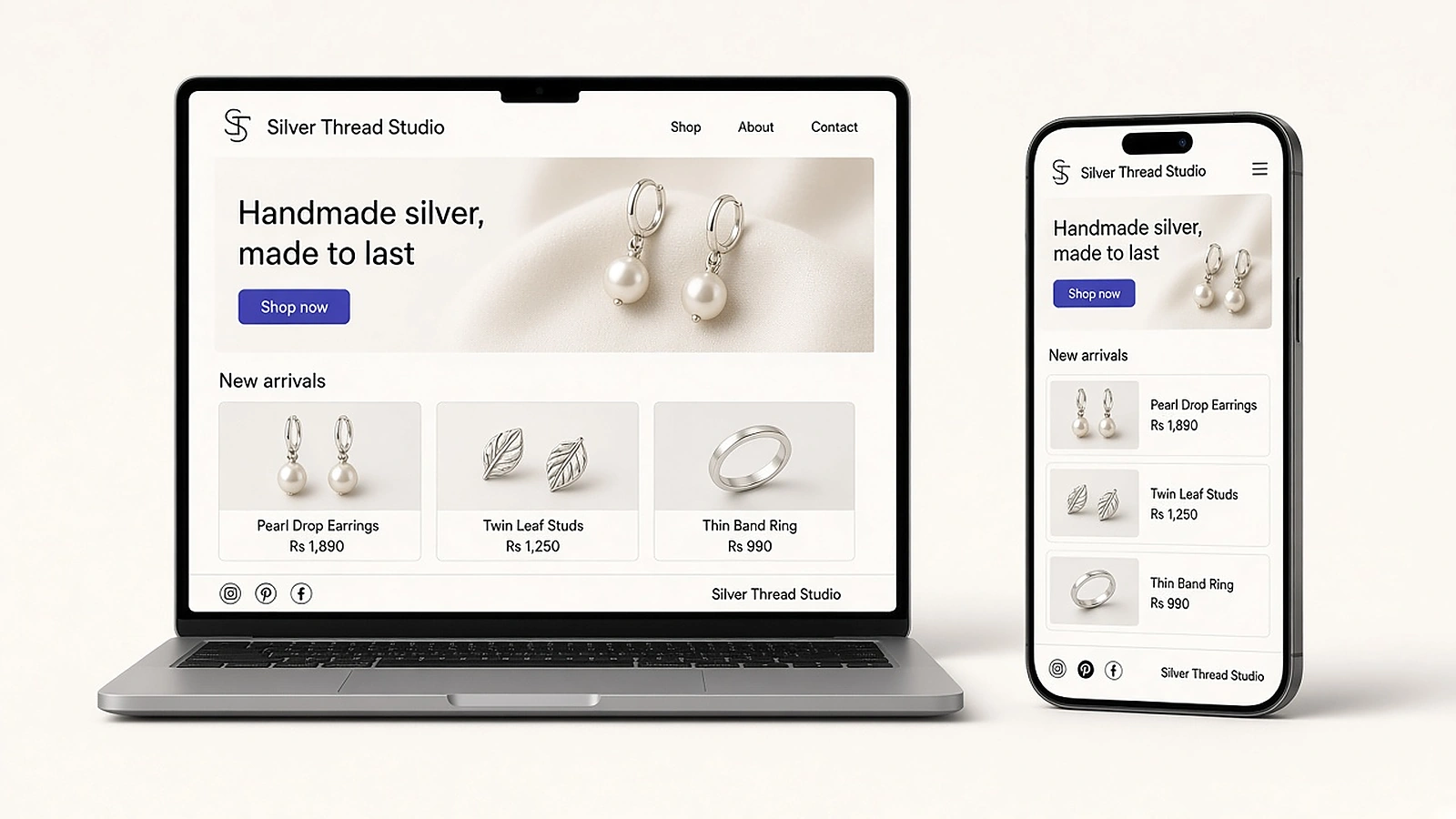
Think of your storefront as a shop window. Before a buyer reads a single word, they get a feeling. Does this look careful? Does it look real? Can I trust it?
On OneWooz, you shape that feeling yourself. You don't need to write code to change your store. You can edit your:
- Brand: your store name, logo and colours.
- Home page sections: what buyers see first, like new arrivals, top sellers or a festive collection.
- About page: the story behind your work, in your own words.
- Contact page: how buyers can reach you.
- Footer and social links: so buyers can find you on Instagram, YouTube or wherever you post.
- Policy pages: clear shipping, return and privacy policies.
- Newsletter signup: a simple way for visitors to hear from you again.
Policies deserve a special mention. Many sellers skip them, and that is a mistake. A clear return policy answers a buyer's biggest worry before they hit the buy button. As a result, you get fewer nervous questions and more confident orders.
One home for all your photos
Good photos sell. That said, they also tend to end up scattered across your phone, your laptop and old chats.
The Media Library keeps your product photos and videos in one place. Upload them once, then use them anywhere on your store: on a product page, a home page banner or a blog post. When you need that lovely close-up from last festive season, you know where to look.
Google also has useful advice on image best practices, such as using clear file names and helpful alt text. These small habits help your photos show up in image search too.
Add your products the way buyers shop
Your catalogue is the heart of your store. On OneWooz, you add each product with its photos, price and description. Then you sort products into categories, so buyers can find what they want in a few taps.
A jewellery maker might use categories like Earrings, Rings and Gift Sets. A home baker might use Cakes, Cookies and Festive Boxes. It is your shop, so you decide how it is arranged.
Moreover, you can keep an eye on your stock. When something runs low or sells out, you will know before a buyer is let down. You can also collect reviews from real buyers and choose which ones to show. Honest reviews do a lot of quiet selling for you.
Write content that helps your buyers
Buyers often have questions before they buy. Which fabric is right for summer? How do I clean silver at home? How long does a cake stay fresh?
When your store answers those questions, two good things happen. First, buyers trust you more. Second, search engines get a reason to send new people your way.
OneWooz gives you two ways to do this:
Blogs are for short, timely posts. Think care tips, behind-the-scenes stories or a note about your new collection.
CorePages are rich guide pages on the topics your buyers care about most. They are the kind of page a buyer bookmarks and comes back to. In fact, the page you are reading right now is a CorePage.
Google says it rewards helpful, people-first content. In other words, write for your buyers first, and the rest tends to follow.
Blogs and CorePages, in more detail
Not sure whether a topic belongs in a blog post or a CorePage? Our guide to blogs and CorePages explains the difference in plain words. It also shares simple ideas for what to write about, even if you have never written for a website before.
Choose how each page looks on Google
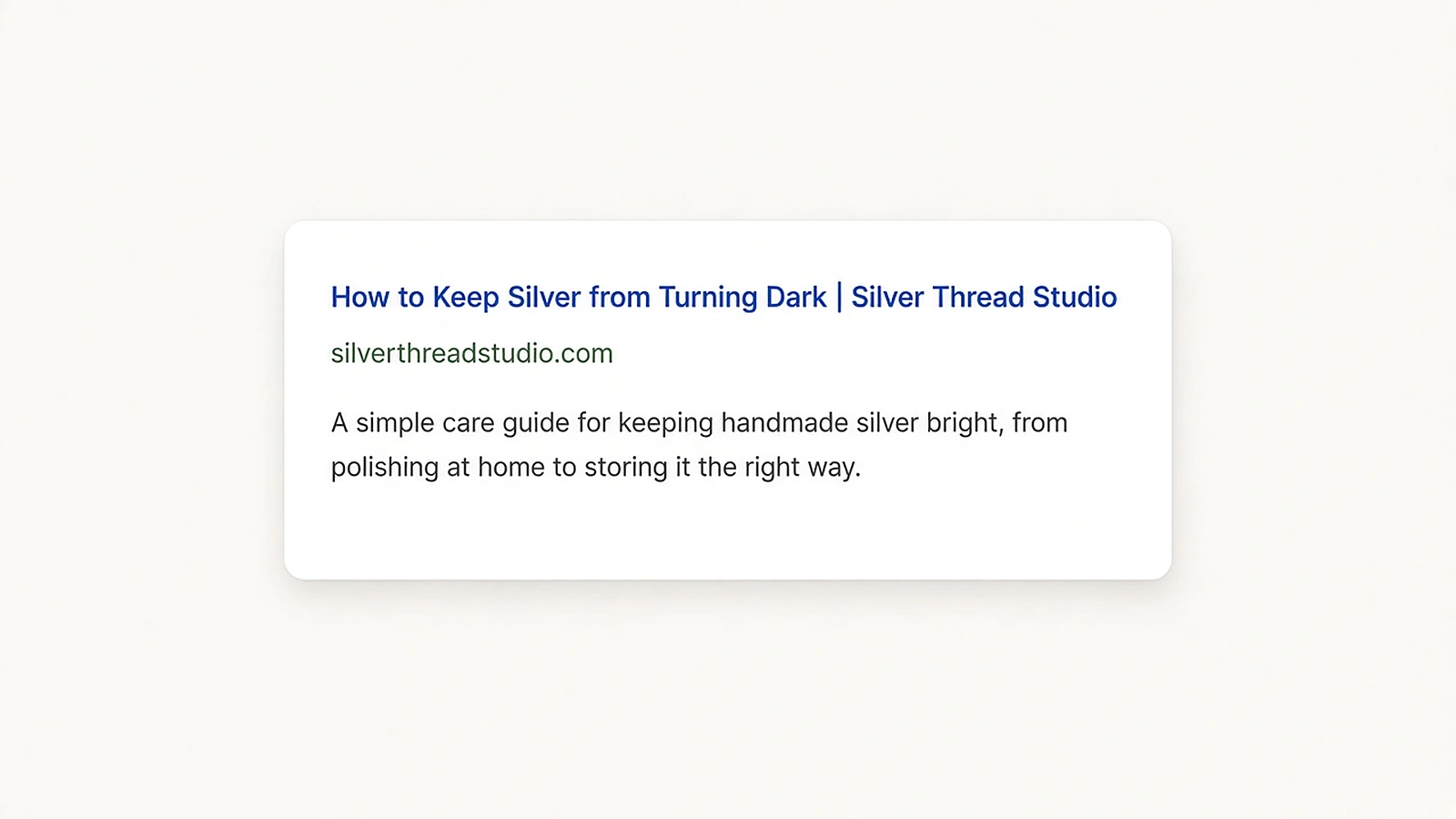
When someone searches, the first thing they see is a short title and a line of text about your page. That small preview can decide whether they click on you or on someone else.
With OneWooz, you can let your store fill in these search details for you, or write them yourself for each page. Either way, you see a live preview of how the page will look in search before you save it. No guessing. If you want to learn more, Google explains how it chooses title links in search results.
Getting found is a big topic, and we cover the rest of it, including Google Shopping and AI search, in our Grow features.
Add the tools you already use
Some sellers already use a favourite chat widget, an analytics tool or a tracking tag. You don't have to give those up. OneWooz lets you add your own scripts to your store, so the tools you rely on can keep working alongside it.
If you don't use any extra tools, that is perfectly fine too. Your store works well without them.
More than one brand? One account is enough
Many sellers start with one idea and soon have two. A jewellery maker starts a line of hair clips. A baker opens a separate brand just for festive gift hampers.
With OneWooz, you can run more than one store from the same account. Each store has its own name, look and products. However, you only need one login to manage them all.
Multiple stores, in more detail
A second store can be a smart move, or it can split your energy in two. Our guide to running multiple stores on one account helps you decide when a new store makes sense. It also explains how to keep each brand clear and separate.
Kavya's store, a few weeks later
Let's go back to Kavya.
She now has her own store on her own domain. The home page opens with her newest earrings, photographed in that same morning light. Her About page tells how she learned to work with silver from her aunt. Her return policy is right there in the footer, written in her own friendly words.
She wrote a short guide called "How to keep silver from turning dark." Buyers now send her that link before she can even reply. When someone on Instagram asks "Do you have a website?", she just shares her address.
Most of all, she spends her mornings making jewellery again, not answering the same question five times.
After you build: Grow and Run
A beautiful store is a great start. However, a store also needs visitors, and those visitors need a smooth way to buy and receive their orders.
That is where the other two parts of OneWooz come in. Grow helps people find your store, buy from you and come back, with tools like SEO, email marketing, discounts and creator Collaborations. Run is your daily workspace for orders, payments, shipping and after-sales requests.
To see how all three parts fit together, head back to our OneWooz features overview.
Frequently asked questions
What can I build with OneWooz?
You can build your own online store with your brand, your own domain and SSL included. You can design your home page, add About, contact and policy pages, upload your products, and write blogs and CorePages. You can also run more than one store from one account.
How long does it take to build an online store on OneWooz?
You can have your own online store on OneWooz in about 15 minutes. That includes setting up payments, shipping and your domain, so the store is ready to receive orders. You can keep improving it any time after that.
Can I use a domain I already own?
Yes. You can connect a domain you already own, such as yourbrand.com, to your OneWooz store. Our custom domain and SSL guide explains more.
Is SSL included with my OneWooz store?
Yes. Every OneWooz store comes with SSL included. Your address starts with https and shows the lock icon, which helps buyers feel safe when they pay.
Do I need to know coding to design my store?
No. You can change your text, images, banners, home page sections and pages without writing any code. Adding your own scripts is there only if you want it.
What is the difference between a blog and a CorePage?
A blog post is usually short and timely, like a care tip or a news update. A CorePage is a deeper guide on a topic your buyers care about, made to stay useful for a long time. Learn more in our blogs and CorePages guide.
Can I run more than one store on one OneWooz account?
Yes. You can run more than one store from the same account, each with its own name, look and products. You manage them all with one login.
How much does it cost to build a store on OneWooz?
We have plans for different stages of a business. You can see the current plans and what each one includes on our pricing page.
Keep exploring
- OneWooz features overview: see how Build, Grow and Run work together.
- Grow features: get found, bring buyers back and sell through creators.
- Run features: handle orders, payments, shipping and after-sales in one place.
- Custom domain and SSL: give your store an address buyers trust.
- Blogs and CorePages: write content that helps buyers and gets found.
- Multiple stores on one account: run more than one brand with one login.
Start today
You already have the products and the people who love them. Now give them a store that feels like you, on an address that is yours.
Have a look at our plans and pricing, or jump right in.