OneWooz Features: Build, Grow and Run Your Own Online Store
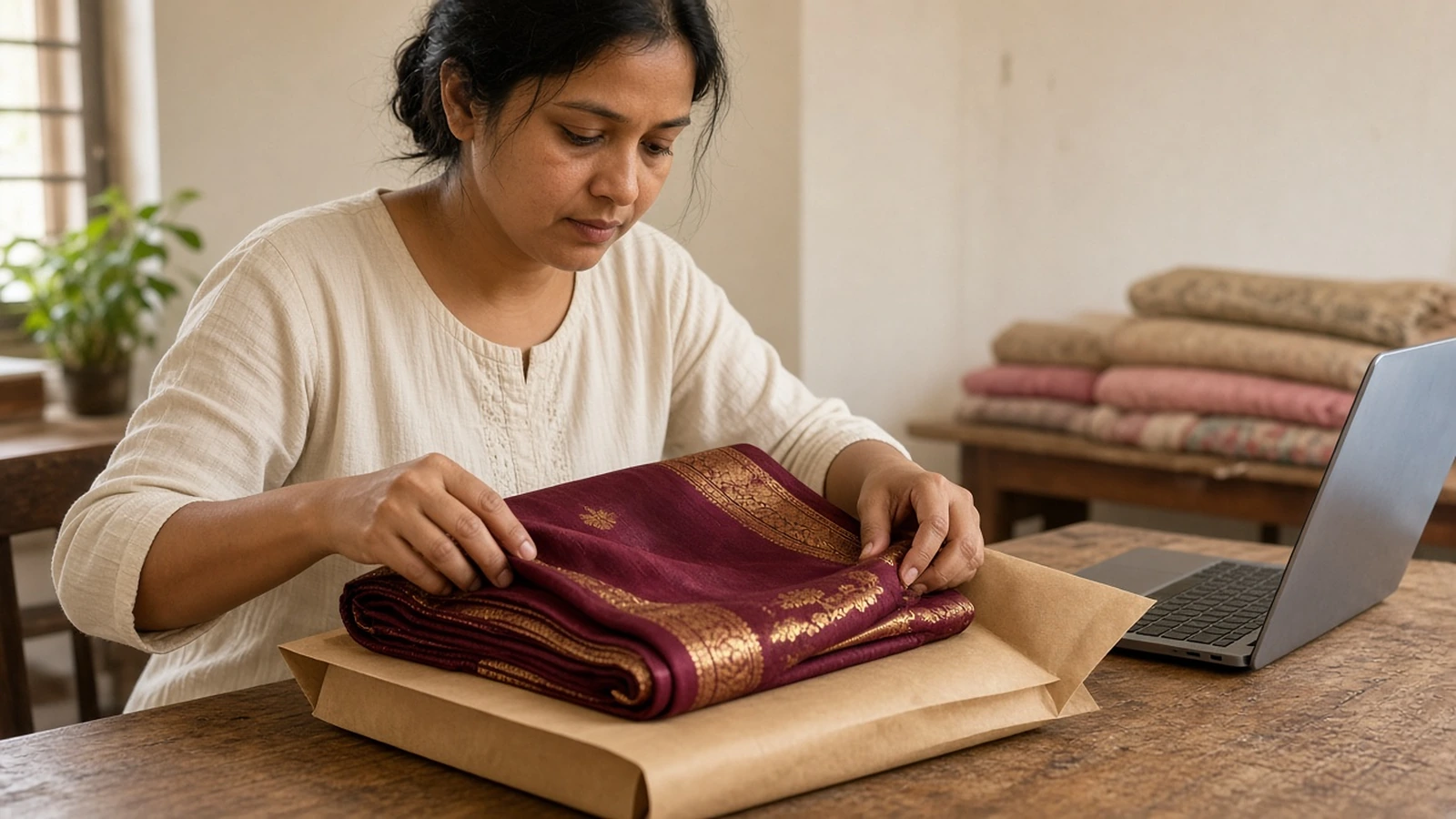
Meet Meera. She sells handloom sarees from her home, mostly through Instagram and WhatsApp. Her sarees are beautiful, and people love them. However, every sale comes with a long chat, a payment screenshot to check, an address to copy by hand, and a buyer who asks "Has it shipped?" more than once.
By evening, Meera has spent more time typing than selling.
We built OneWooz for sellers like Meera. It gives you your own online store in 15 minutes. And by "store" we mean one that is truly ready for orders: payments set up, shipping set up, and your own domain connected.
That is day one. After that, OneWooz stays with you. It helps you get found, bring buyers back, and handle every order calmly, from the first click to the doorstep.
Why your own store matters
Marketplaces and social media are great places to be seen. That said, neither one is really yours.
On a marketplace, the platform owns the customer. You rarely get to talk to buyers again, the seller next to you can undercut your price, and the rules can change overnight. On social media, a post can do well one week and disappear the next.
Your own store works differently. The address carries your name. The customer list belongs to you. Moreover, every product page and blog post you publish can keep bringing in visitors from search for months.
| Marketplace listing | Your own OneWooz store | |
|---|---|---|
| Whose brand buyers see first | The marketplace | Yours, on your own domain |
| Who owns customer details | Mostly the platform | You do |
| Can you reach buyers again | Rarely | Yes, through email, offers and store credits |
| Who sets the rules | The platform | You |
Many sellers use both, and that is fine. However, when all your sales depend on one platform, your business depends on it too.
The three parts of OneWooz
Every online seller does three jobs. You set up the store. You bring people to it. Then you handle the orders, day after day.
So we grouped everything OneWooz does into those same three parts: Build, Grow and Run.
1. Build: a store that looks and feels like your brand
This is where your business gets its home. You shape how it looks, what it says, and where it lives online.
Your own store. A full online store with your name, your logo and your colours. Buyers see your brand, not a crowded list of other sellers.
Custom domain. Use your own address, like yourbrand.com, instead of a long link nobody remembers. It looks professional and is easy to say out loud at a craft fair.
SSL on every store. Your address starts with https and shows the lock icon, so buyers feel safe at checkout. MDN has a simple explanation of HTTPS if you are curious.
Brand and content editing. Change your text, images and banners whenever you like. A candle maker can swap in a festive banner on Friday night without calling anyone.
Home page sections. Arrange what buyers see first, such as new arrivals, top sellers or a seasonal collection. Your front window changes as your business does.
About, contact and policy pages. Tell your story, share how to reach you, and publish clear shipping and return policies. Clear policies answer questions before buyers need to ask.
Built-in blog. Write about your craft, your process and your products. A home baker who writes "How to store a cake overnight" gives search engines a good reason to send people her way.
CorePages. Rich guide pages on the topics your buyers care about most. They help your store come across as the place that really knows its subject.
Media library. Keep all your product photos and videos in one place, ready to use anywhere on your store.
More than one store, one account. Run a second brand or a new product line as its own store, without a second login.
2. Grow: get found and bring buyers back
A store nobody visits is just a nice page. This part of OneWooz helps people find you, buy from you and return.
Get found on search and AI
SEO, your way. Let OneWooz fill in the search details for every page on its own, or write them yourself, page by page. You see how a page will look on Google before you save. Google's own SEO Starter Guide explains why these basics matter.
AEO. Answer Engine Optimization helps your pages show up as a direct answer when someone asks a question, like "Which saree fabric is good for summer?"
GEO. Generative Engine Optimization helps AI assistants such as ChatGPT, Perplexity and Gemini understand your store and mention it. Google says there are no additional requirements to appear in its AI features beyond good SEO basics. That is why we build those basics into every store.
Google Merchant. Your products stay in sync with Google Shopping automatically, so they can appear in Google's free product listings. You also see which products are approved and which need attention.
Bring buyers back
Email marketing. Send campaigns to the audiences you choose, and set up automated emails that go out on their own. A skincare brand can welcome every new subscriber without lifting a finger.
Cart reminders. When someone leaves items in their cart, OneWooz can nudge them to finish the order. This matters more than most sellers think. Baymard Institute puts the average cart abandonment rate at 70.22%, based on 50 studies. That is roughly 7 out of 10 carts left behind.
Customer credits. Give buyers store credit to spend on their next order. It is a warm thank you, and a good reason to come back.
Sell more with offers
Discounts. Create discount codes or automatic discounts, Buy X get Y deals and free shipping offers. You can also schedule a sale ahead of time and let it start on its own.
Instant flash deals. Run a short deal that ends on its own. A candle maker going live on Instagram can drop a surprise offer for viewers, and it closes by itself when the time is up.
Ad tracking. See which ads bring visitors who actually buy. You spend more on what works and less on what does not.
Sell through creators with Collaborations
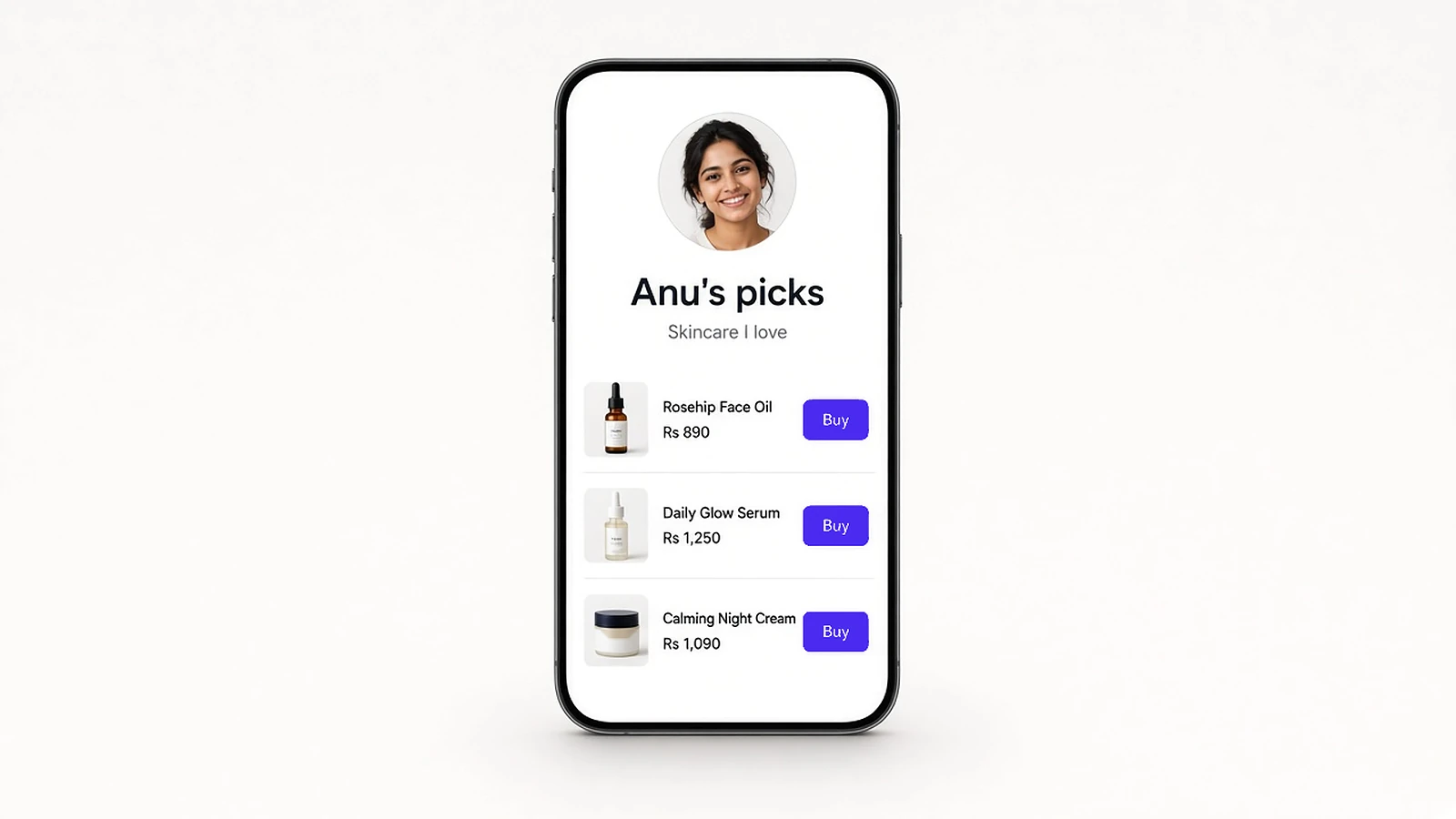
Collaborations. Give creators their own store on their own address. You choose which products they can sell and set their commission per sale, in rupees or as a percentage.
Here is how that looks in real life. Say you run a small skincare brand, and a creator named Anu loves your face oil. You invite her to OneWooz. She signs her agreement digitally and gets her own store, filled with the products you picked.
Her followers shop from her store and pay right there. You pack and ship as usual. Meanwhile, you can see what Anu has earned, what you have paid her, and what is still due. No spreadsheets. No arguments over who sold what.
3. Run: handle every order calmly
Once orders start coming in, you need one calm place to manage them. This part is your daily workspace.
Orders, shipping and payments
Orders with clear statuses. Every order shows exactly where it stands, from new to delivered, including parcels that come back to you. You never have to guess.
Shipping and live tracking. Courier booking can happen automatically, and tracking updates on its own as the parcel moves. Shiprocket is one of the shipping partners we support. As a result, you answer far fewer "Where is my order?" messages.
Payments to your own account. Online payments run through your own payment gateway account, so the money from each sale goes straight to you.
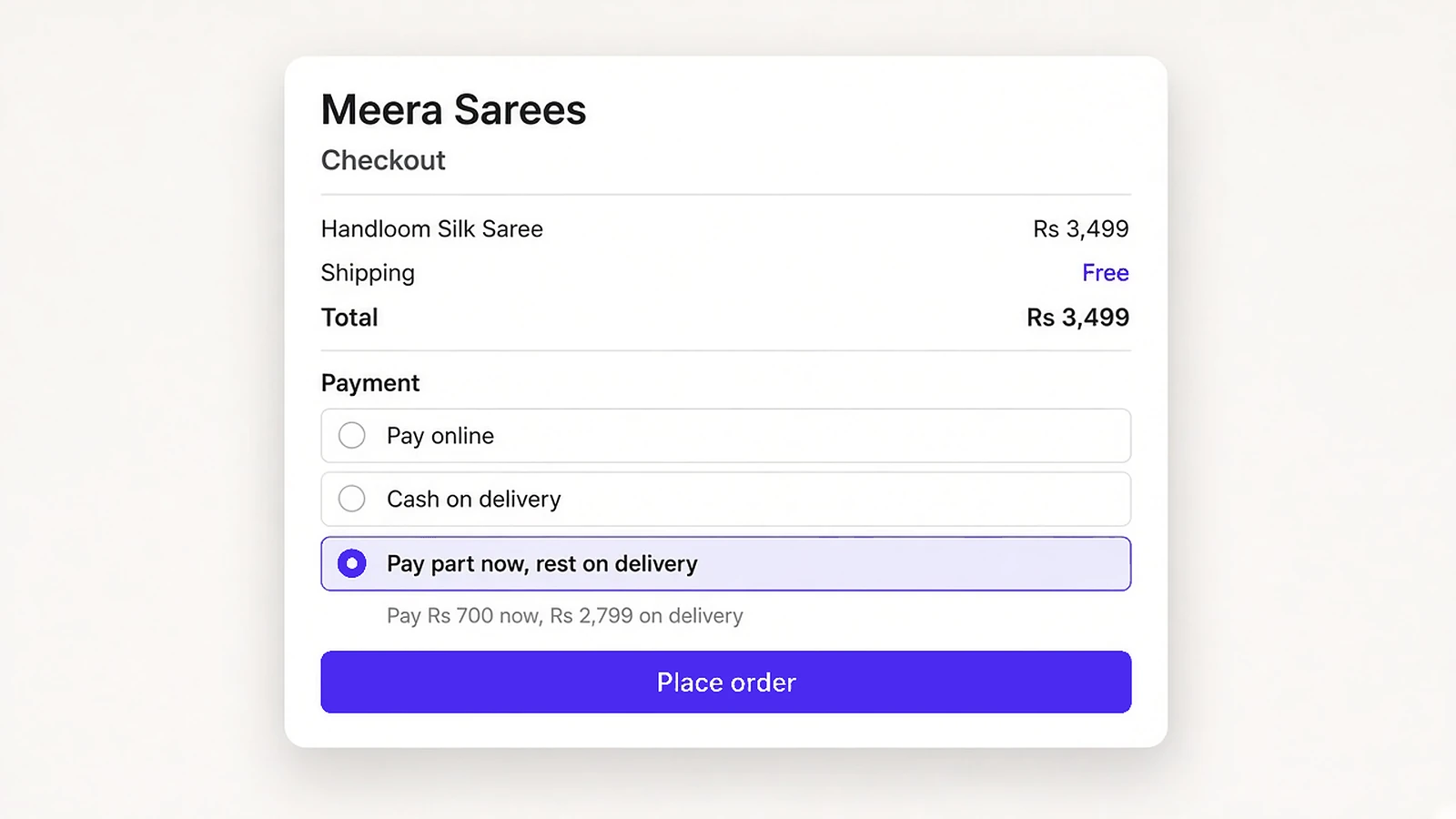
COD and Partial COD. Offer cash on delivery, or ask buyers to pay part of the order online and the rest on delivery. A buyer who has already paid something is much more likely to accept the parcel.
After-sales and customers
After-sales requests. Cancellations, returns, replacements, warranty claims and support requests land in one inbox. Nothing gets lost in a busy WhatsApp chat.
Contact enquiries. Messages from your contact page arrive in your dashboard, ready for a reply.
Customers and subscribers. See each customer's details and order history, plus everyone who signed up for your updates.
Notify customers. Tell all your customers about a restock or a new offer at once. When a saree that sold out is back, everyone hears about it.
Inventory. Keep an eye on stock levels, so you do not sell something you no longer have.
Review moderation. Collect reviews from real buyers and choose which ones to approve. Honest reviews help new visitors trust you.
Insights, team and security
Analytics. See how sales are going and how fast your site loads. Speed matters, because slow pages lose buyers and hurt search. Google explains these Core Web Vitals in plain terms.
Team access. Add staff so your team can help with daily work, while you stay in control as the owner.
Account security. Sign in with passkeys, turn on two-step verification, and see every device signed in to your account. Passkeys are a safer way to sign in without a password, as the FIDO Alliance explains.
Business Hub. Need help from us? Raise a support ticket with the OneWooz team right from your dashboard and follow it until it is solved.
A day with OneWooz
Let's go back to Meera.
In the morning, she opens her dashboard and sees three new orders. Two were paid online. One buyer chose Partial COD and paid part of it upfront, so Meera ships it without worry. The couriers are already booked.
By lunch, a buyer asks to exchange a saree for a different colour. The request is waiting in her after-sales inbox, so she handles it in a minute instead of digging through chats.
In the afternoon, a creator who sells her sarees posts a reel. Sales from the creator's store start to show up, and Meera can see exactly what that creator has earned.
At night, she schedules a weekend sale and writes a short blog post about caring for silk. Then she closes her laptop. Nobody has asked "Where is my order?" all day.

What you gain with OneWooz
You own your business, not just a listing. Your brand, your domain and your customer list are yours. Nobody can place a rival's ad on your own store.
You get found without being forced to run ads. Ads can help, and you can run them any time. However, built-in SEO, AEO, GEO and Google Shopping give you other real ways to be found.
You stop stitching apps together. Email, discounts, reviews, creators, shipping and after-sales all live in one place and share the same customer and order details.
You spend less time in chats. Online payments, Partial COD, live tracking and one inbox for requests mean fewer "Did you get my payment?" messages.
You grow with creators, not guesses. Instead of hoping a post works, you give creators their own store and see what each one sells and earns.
You get proper store tools at a fair cost. The kind of tools bigger brands use are ready from day one. See our pricing for the plans.
How it works
Getting started takes three simple steps.
Step 1: Create your store. Sign up, pick your store name, and add your first products with photos, prices and descriptions.
Step 2: Set up payments, shipping and your domain. Connect your payment account, choose how you ship, and link your own domain. This is what makes your store ready for real orders.
Step 3: Share it and start selling. Post your store link on your social pages, send it to your regular buyers, and let search engines find your pages over time.
In short, your own online store in 15 minutes, ready to receive orders.
Frequently asked questions
What is OneWooz?
OneWooz is a platform for building, growing and running your own online store. It brings together your own domain, payments with Partial COD, shipping, SEO, email marketing, discounts, creator Collaborations, after-sales and analytics in one dashboard.
How long does it take to set up an online store with OneWooz?
You can set up your own online store on OneWooz in about 15 minutes. That includes adding products and setting up payments, shipping and your domain, so the store is ready to receive orders.
Can I use my own domain name with OneWooz?
Yes. You can connect your own domain, such as yourbrand.com, to your OneWooz store. Every store also comes with SSL, so your address starts with https and shows the lock icon.
What is Partial COD, and how does it help sellers?
Partial COD means the buyer pays part of the order online and the rest on delivery. Because the buyer has already paid something, they are more likely to accept the parcel, which helps cut down fake cash on delivery orders.
What are Collaborations on OneWooz?
Collaborations let creators sell your products from their own store. You choose which products they can sell and set their commission per sale. Then you can see what each creator has earned, what you have paid, and what is still due.
Will my OneWooz store show up on Google and in AI search?
OneWooz builds SEO, AEO and GEO basics into every store and can keep your products in sync with Google Shopping. No platform can promise a ranking. However, these basics give your store a strong starting point.
Do I have to run ads to sell on OneWooz?
No. Search, Google Shopping, email, cart reminders, discounts and creator Collaborations all help you reach buyers in other ways. You can still run ads whenever you choose.
How much does OneWooz cost?
OneWooz has plans for different stages of a business. You can see the current plans and what each one includes on our pricing page.
Start today
You already have the products, and people who love them. What you need is a store that is truly yours: one that takes payments, ships orders, brings buyers back and keeps your day calm.
That is what we built OneWooz to do.